 Socialeyes
Keep an eye on their feed. Block what doesn't belong.
Socialeyes shows you the videos your kid actually watches on TikTok, Instagram, YouTube and more. Anything harmful gets covered on their screen before it plays.
Get it in 2 minutes
You'll set it up on two phones: yours and your kid's. Pick the type of each phone, then tap the links in order. No sign-up form, no waiting for an invite. iPhone and Android phones connect to each other fine.
Install Socialeyes on your phone
Open these links on your iPhone.
Use the same Google account all three times: the one your phone's Play Store is signed in to. To check, open the Play Store and tap the picture in the top corner.
Open Socialeyes and set up your account
Tap Parent's phone, create your account and add your kid. The app shows you an 8-digit pairing code. Keep that screen handy.
Install Socialeyes on your kid's phone
Open these links on their iPhone.
Use the same Google account all three times: the one their phone's Play Store is signed in to. To check, open the Play Store and tap the picture in the top corner. If their phone uses Family Link, you may get a request on your phone to approve the install. Tap approve.
Connect the two phones
On your kid's phone, open Socialeyes, tap Child's phone, and type in the 8-digit code from your phone. Done. What they watch starts showing up on your phone, and your blocks start working on theirs.
On Android, please keep it installed for two weeks and open it every few days. Google needs to see real testers using it before Socialeyes can go on the Play Store for everyone.
Screen time tells you how long. Socialeyes tells you what.
Your phone can already say your kid spent two hours on TikTok. It can't say what was in those two hours, or stop the bad parts. That's what Socialeyes is for.
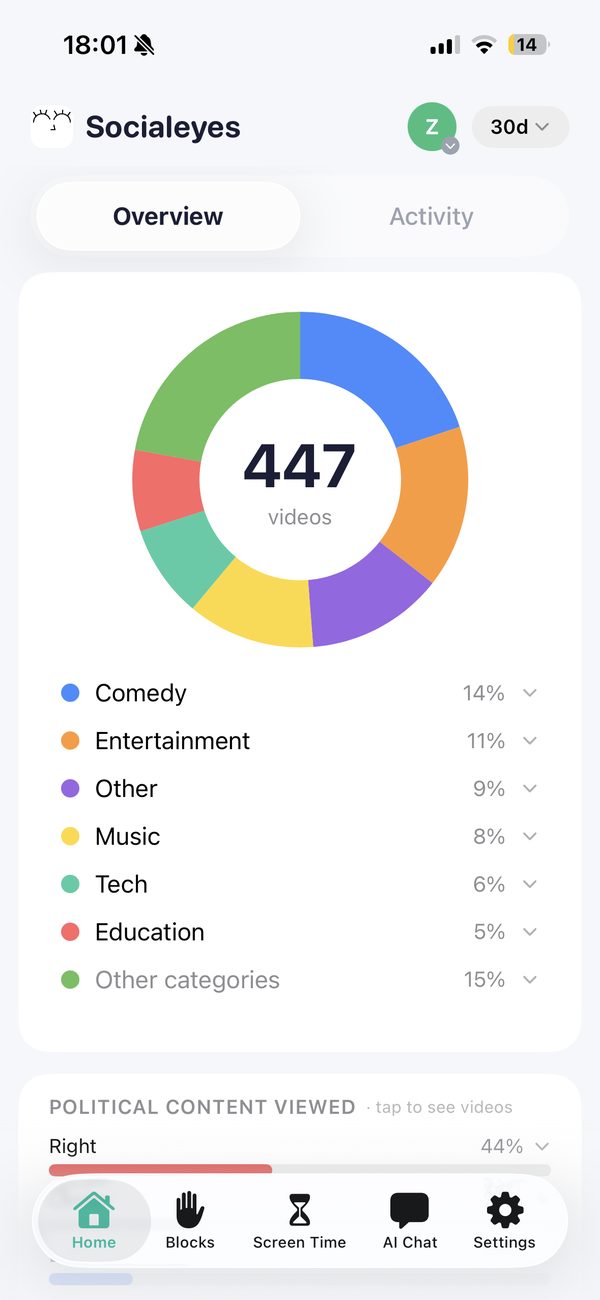
See exactly what's in their feed
Every video they watch is sorted into a topic, so you see the big picture without scrolling through it yourself.
- Topics at a glance: comedy, sports, music, education, politics and more, as a share of everything they watched.
- Political content flagged, and which way it leans.
- Ask the built-in assistant things like “what changed this week?” or “anything I should look at?”
Block the bad stuff. Keep the app.
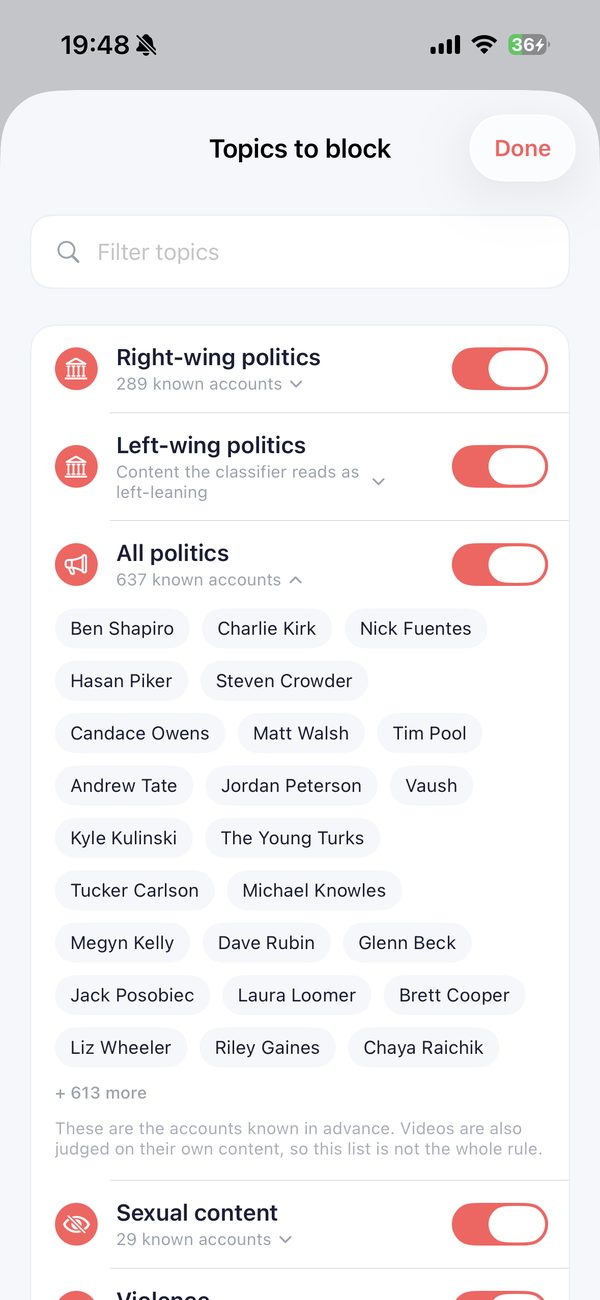
You don't have to ban TikTok to keep the worst of it away. Block a creator, a whole topic, or a single word, everywhere they watch. Everything else keeps working.
- Covered, not just reported. Flagged videos are covered on their screen before they play. You choose how strict.
Rules that stick, even when you're not there
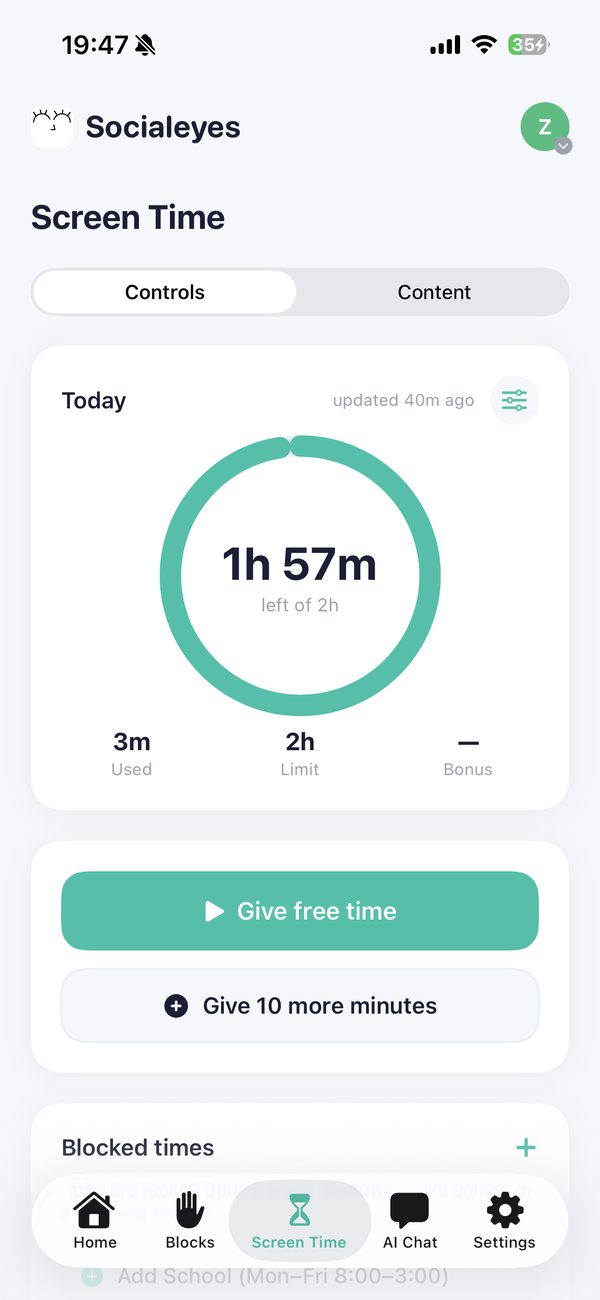
Set it once from your phone. Their phone follows the rules on its own.
- A daily time limit, plus extra minutes you can send from your phone.
- Blocked times like school hours or bedtime.
- Pick which apps are allowed out of TikTok, Instagram, YouTube, X, Facebook, Reddit and Pinterest.
- They can't just sign out. Leaving needs a code that only you have.
Want this on your family's phones?Free early access. 2-minute setup, no sign-up form.
Get the app →